
Classroom sample
What studying with Norriteo looks like
Real screens from the classroom. Follow a student, Ben in Grade 7 (age 13), through a study week — and see what his mum sees and how she can help.
Sample account with made-up names. Screens may change as we build.
A study week for the student
1
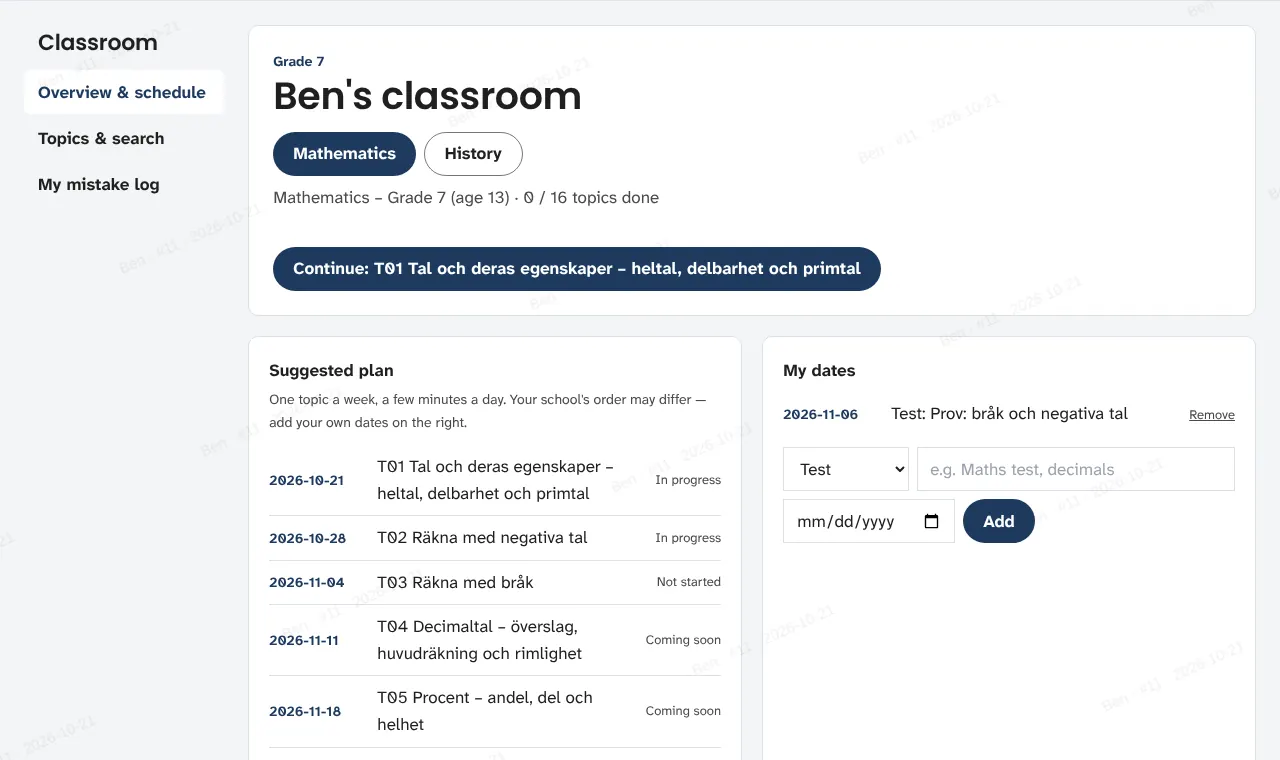
Open the classroom: the week at a glance
A suggested plan of one topic a week, a few minutes a day. Add your own test and homework dates — your school's order may differ.
2
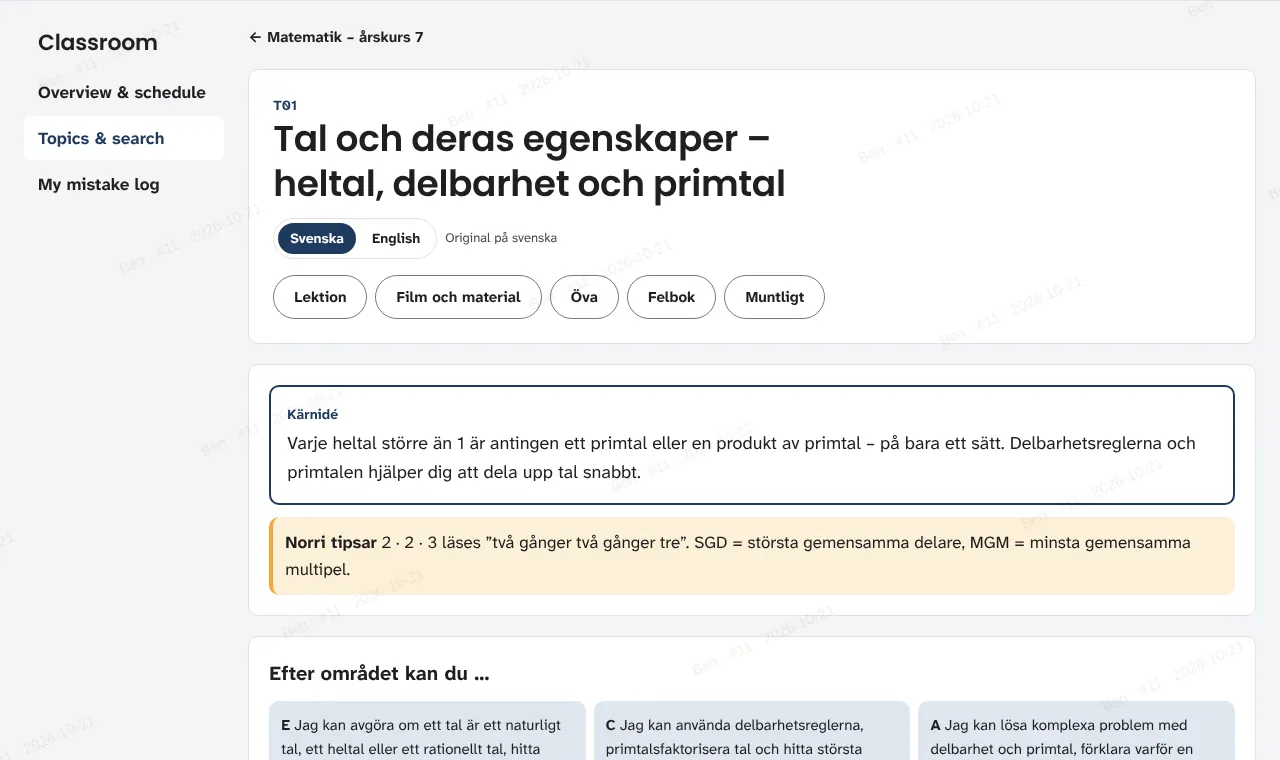
Read the topic
The core idea first, then the lesson in Swedish with English support, tips along the way and what you can do at E, C and A.
3
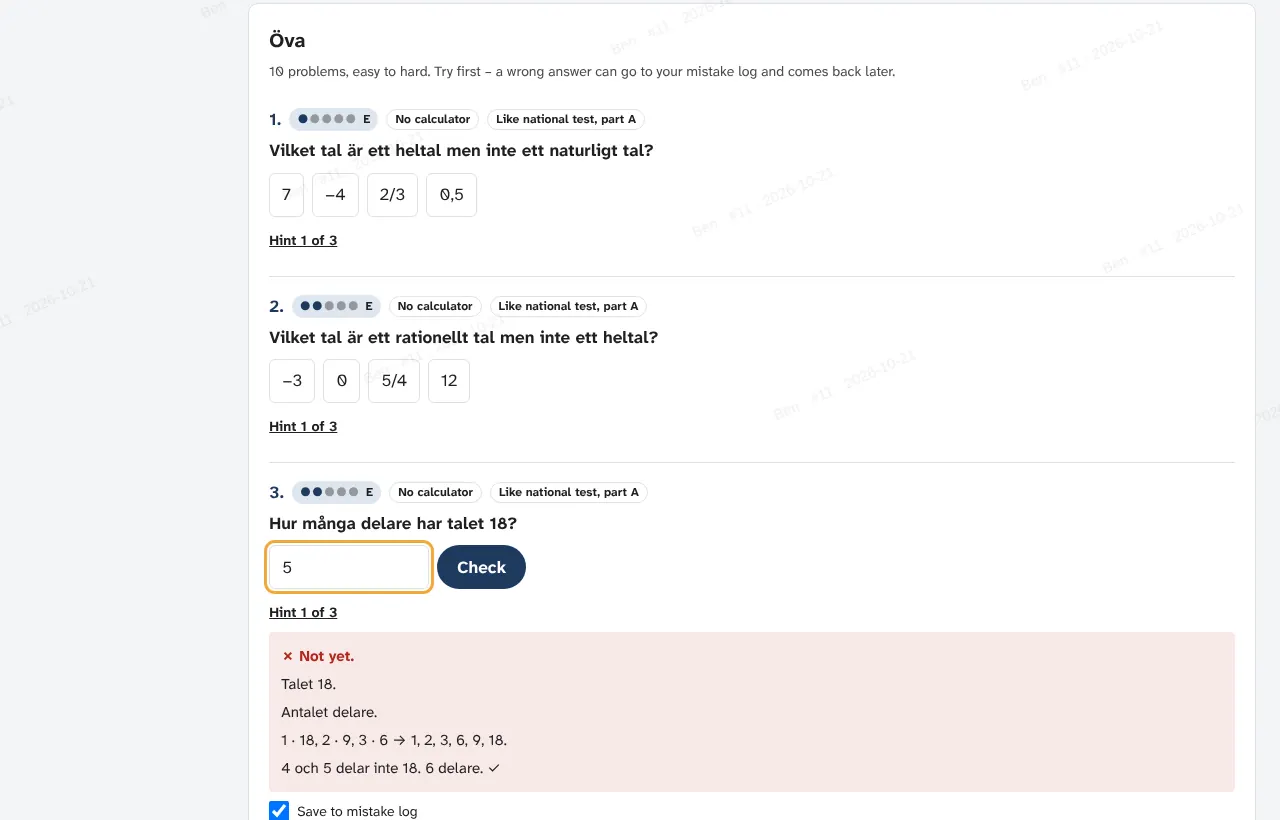
Practise ten at a time
Easy to hard. Try first, take a hint if you need it. A wrong answer shows why — and can go to your mistake log.
4
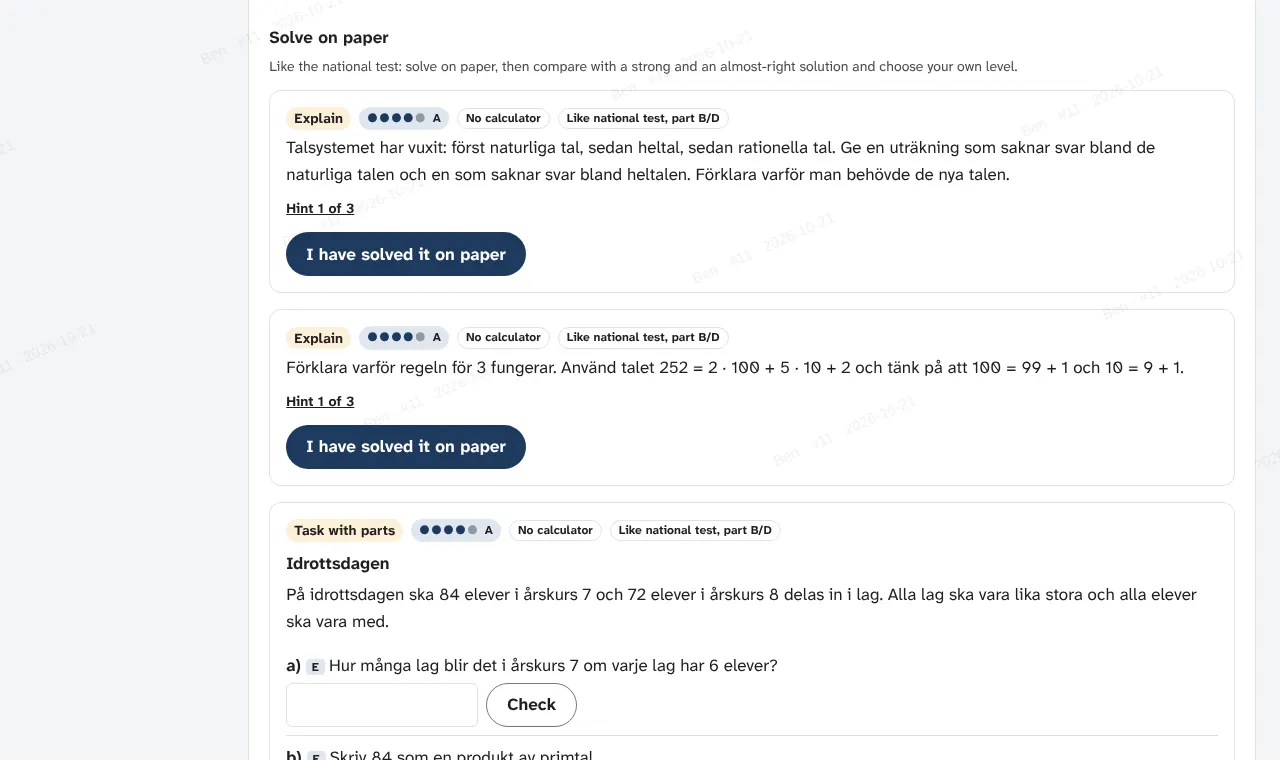
Solve on paper, like the national test
Explain and multi-step problems: solve on paper, compare a strong and an almost-right solution, then choose your own level.
5
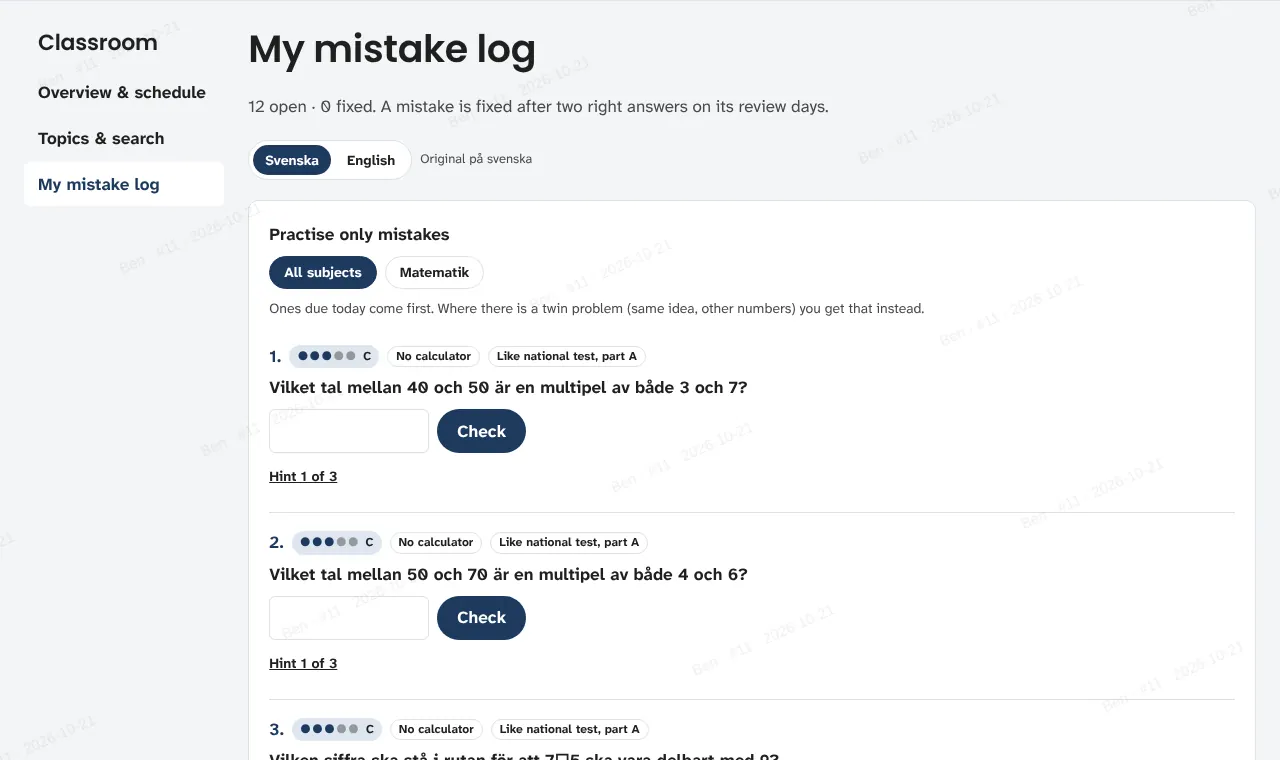
Fix mistakes on review days
Mistakes come back after 1, 5 and 14 days, often as a twin problem with other numbers. Two right in a row and it counts as fixed.
6
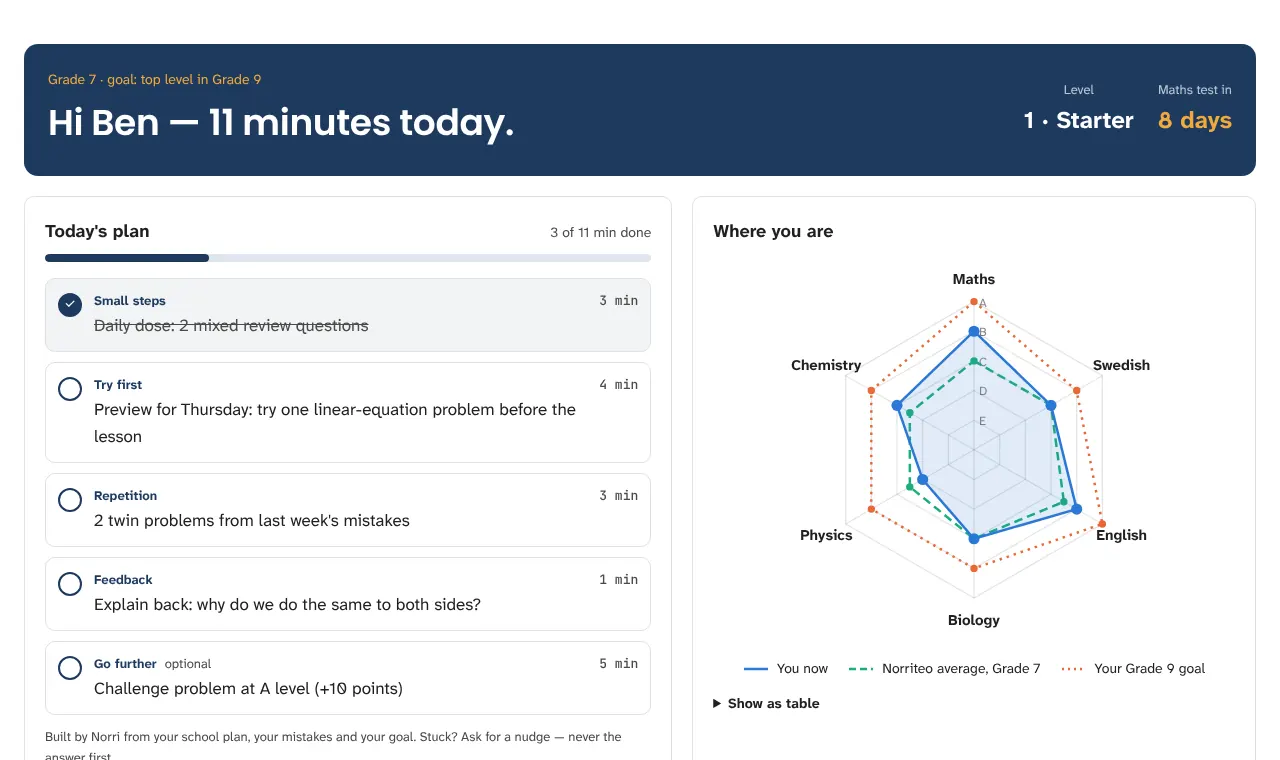
See where you stand
Today's plan and your level per subject next to your Grade 9 goal.
Preview with example data — part of Norriteo Skola, coming.
7
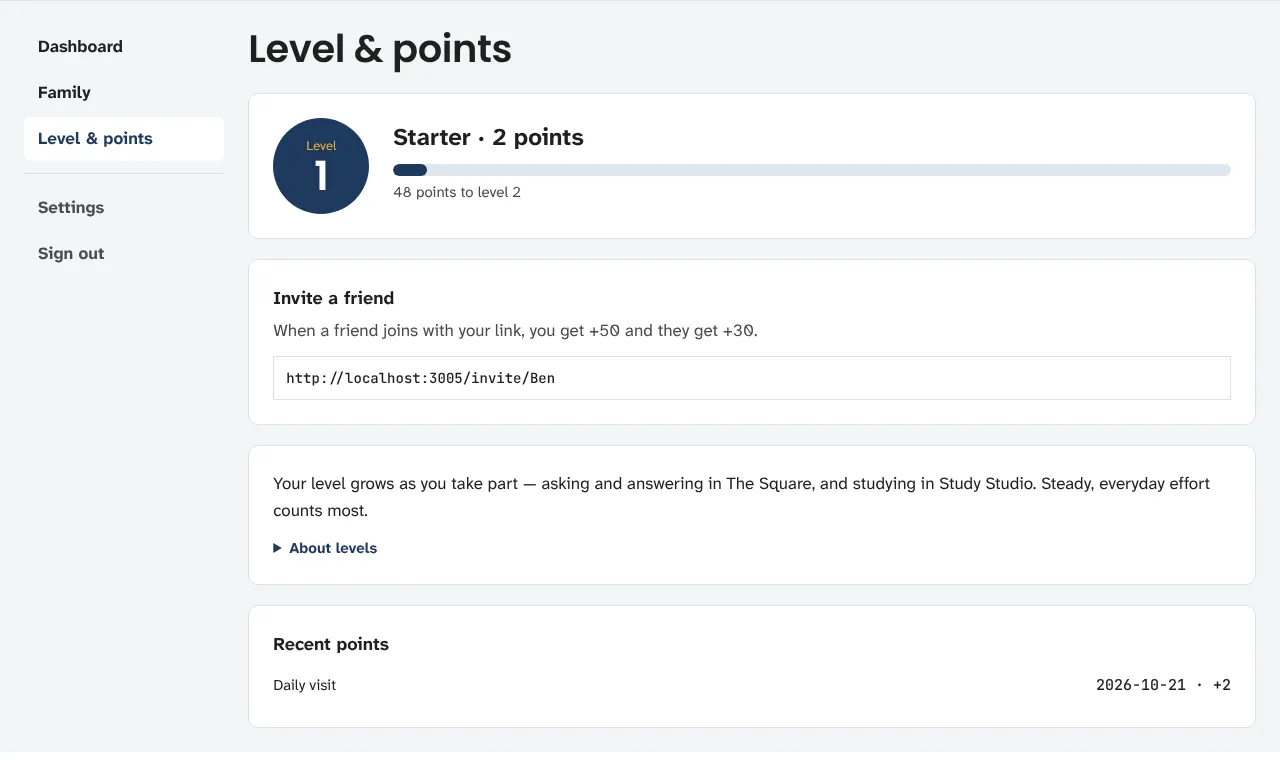
Level and points for steady effort
Every active day counts. Levels grow with regular work, not with one long evening.
8
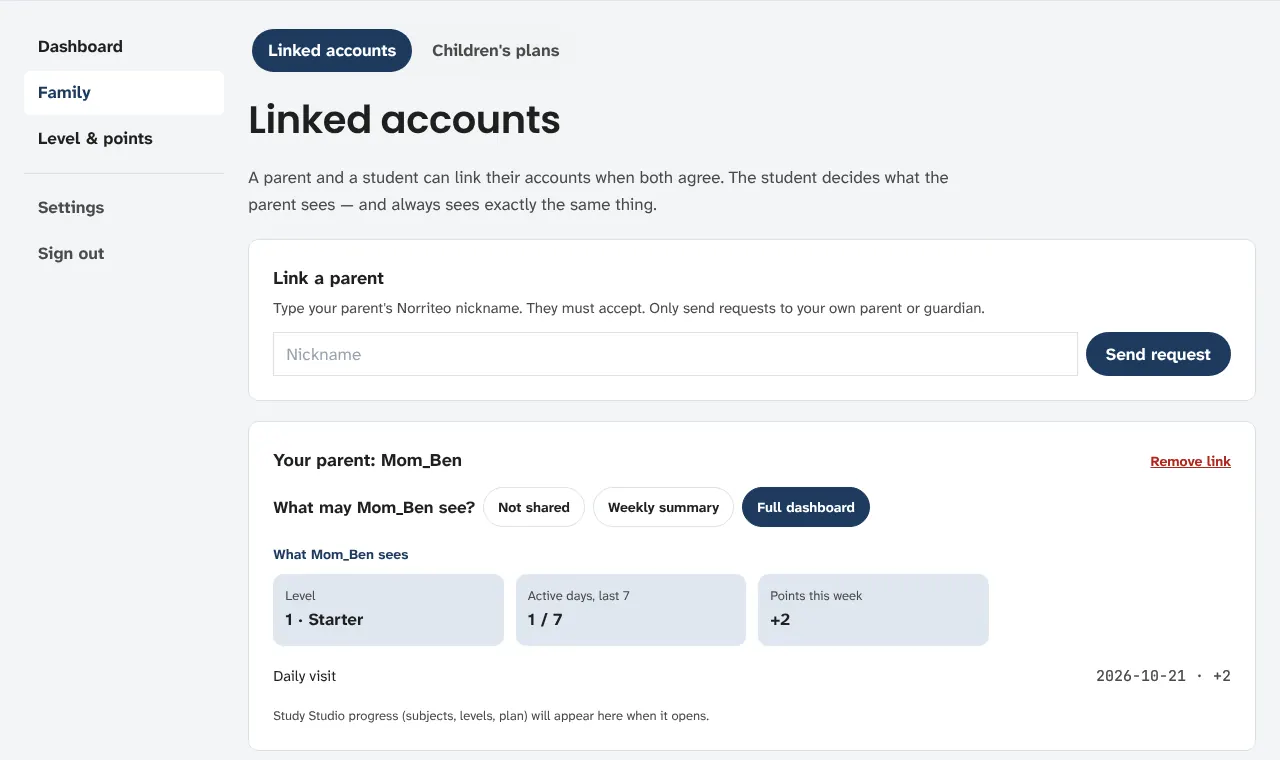
Choose what your parent sees
Not shared, a weekly summary or the full dashboard. From 13 the student decides — and always sees exactly what the parent sees.
Following along as a parent
1
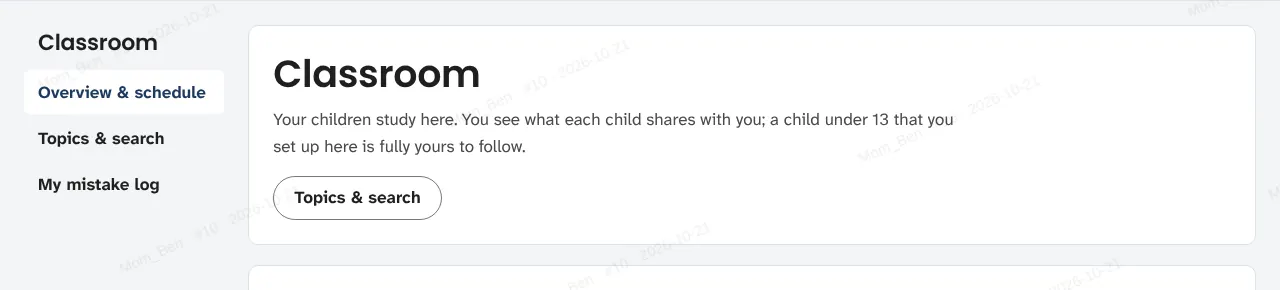
Your children in one place
Link a child aged 13 or over (they accept and choose what to share), or add a child under 13 whose studies you manage yourself.
2
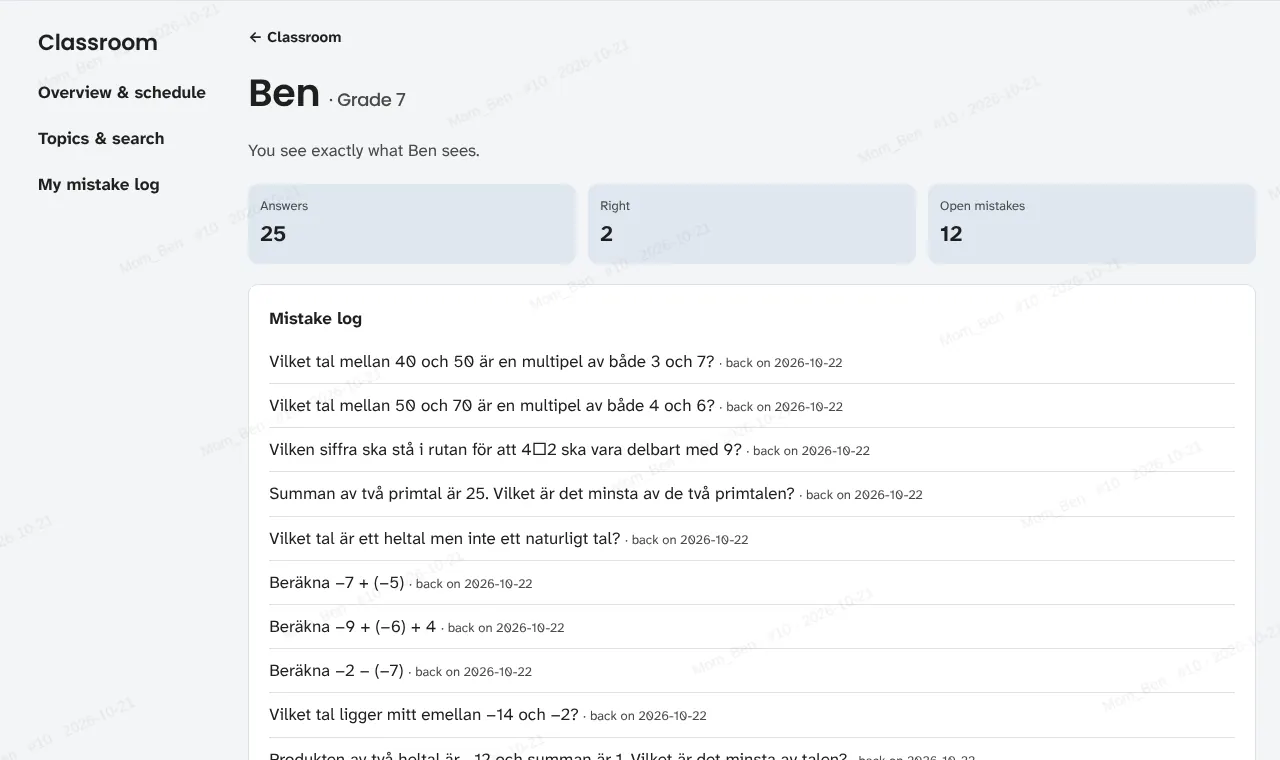
Review work — exactly what your child sees
How many answers, how many right, which mistakes are open and when each one comes back.
3
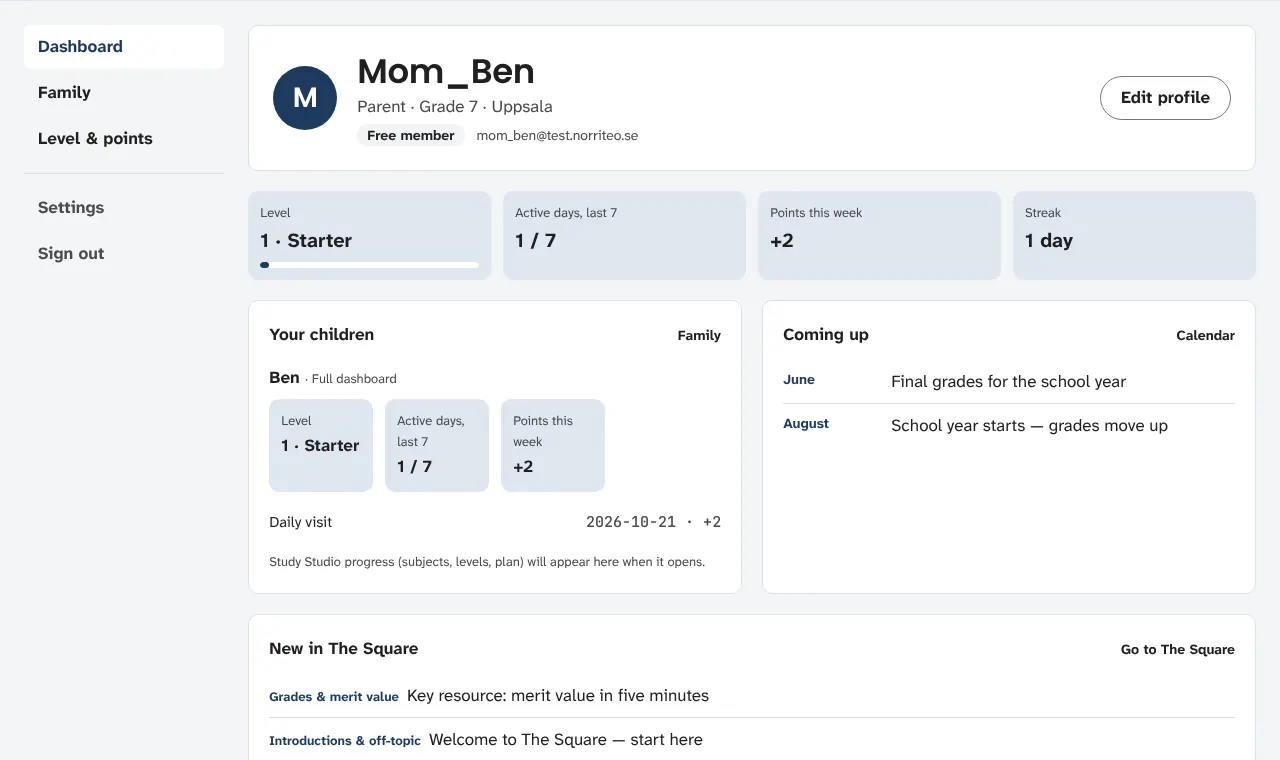
Your own dashboard
Each child's level and active days, plus the dates coming up in the school year.
How a parent can help
- Put the next test date in together — the plan fits around it.
- Ask about one fixed mistake a week: “how did you get it right this time?”
- Look at steady days, not single scores. Small steps every day add up.
Under 13, the parent sets up and follows the child's studies. From 13, the student chooses what to share.
Try the classroom yourself
Free for members while we build. Students aged 13 and over join themselves; parents add younger children.
Join free / sign in